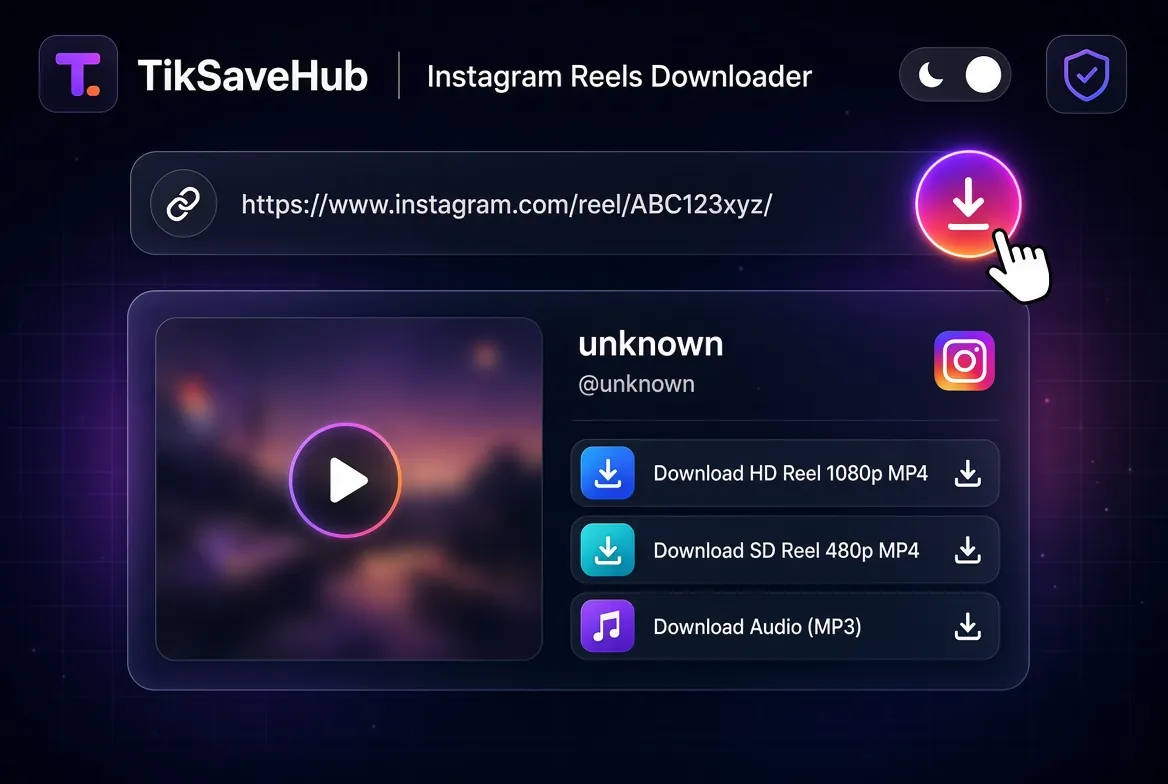
Copy the Instagram Reel link
Open the Instagram app or website, find the Reel worth saving. Tap Share, hit "Copy Link." Works on any public Reel -- Explore page, creator profile, Reels tab, shared link. Takes about two seconds.
Save any Instagram Reel in HD. No watermark. No sign-up.
Download Instagram Reels directly to your device -- clean MP4, up to 1080p, no watermark overlay. Just paste a Reel link and save it in seconds.
Notice: For personal use only. We do not host any media files on our servers. Please respect content creators' rights.
Please wait, fetching your media… TikSaveHub's free Instagram downloader is processing your link — it usually takes just a few seconds, and you can save reels, videos, stories and audio without a watermark.
100% Free
Download Instagram Reels instantly without watermark
No Sign-Up
Works on any device, from anywhere in the world
HD Quality★★★★★
Original resolution, no watermark, no login required
Instagram doesn't let anyone save Reels directly from the app. The built-in "Save" option works for your own drafts, but downloading someone else's Reel? Not happening. The app shows a share sheet, not a download button. And the screen-record workaround produces a watermarked file with the creator's username floating over the video.
TikSaveHub takes a different approach. Paste a Reel link, get a clean MP4. That's the entire interaction. The tool fetches the original video file from Instagram's servers -- the same file the creator uploaded, without any watermark overlay -- and serves it directly. Two to three seconds, start to finish. No app to install, no account to create, no quality loss during the fetch.
Here's the thing about Reels quality: Instagram compresses videos during upload, and the maximum resolution depends on what the creator's device captured. TikSaveHub can't magically upscale a 720p Reel to 1080p -- nobody can. But the fetch process is lossless. What Instagram has is what gets saved, at the same bitrate, same resolution, same frame rate. The result looks identical to what plays in the Instagram app. Most downloaders re-encode at a lower bitrate and call it "HD." This one doesn't.
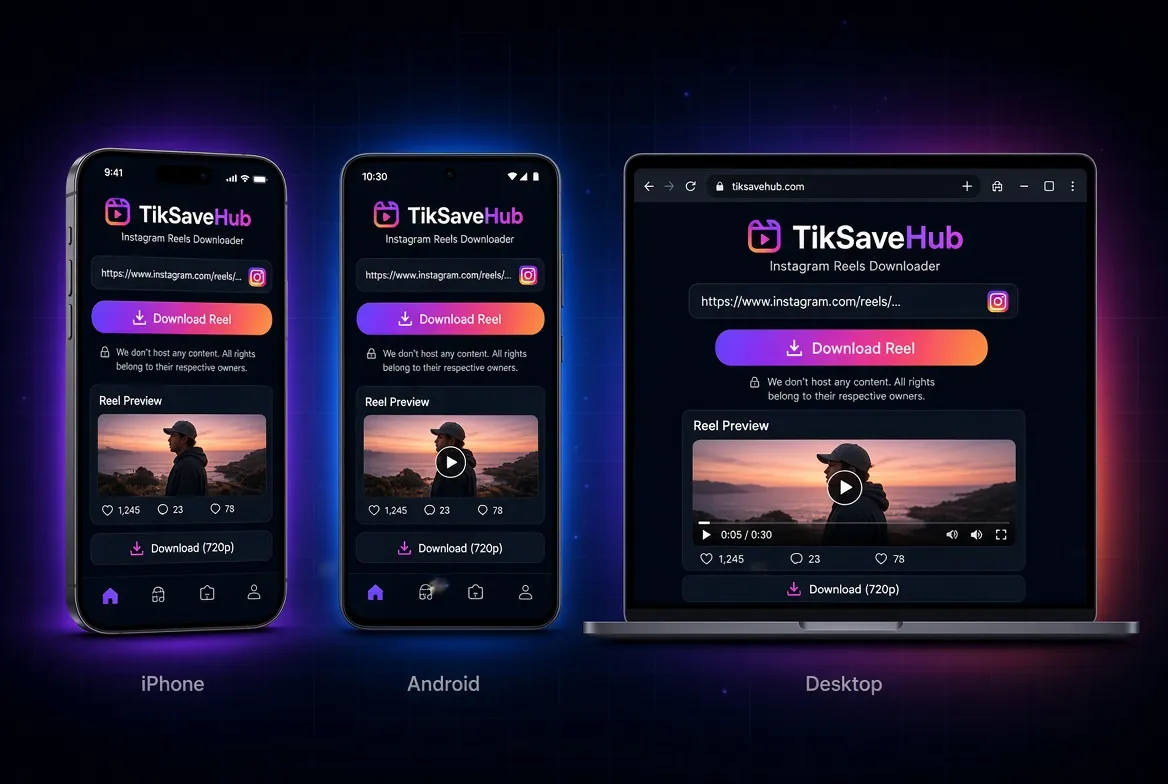
The tool works on any device with a browser -- iPhone, Android, Windows, Mac, Linux. No app to install, no browser extension to configure. The download runs server-side, so the device's processing power doesn't matter. Even a five-year-old phone handles it at the same speed as a brand-new laptop.
Privacy matters too. TikSaveHub doesn't ask for an email address, doesn't store download history, and doesn't track browsing behavior. The only thing that ends up on the device is the final MP4 file. And unlike competitors that quietly introduce paid tiers after a few downloads, TikSaveHub stays free with no usage limits.
One honest limitation: this tool only works with public Reels. Private or restricted content isn't accessible through Instagram's public API. No legitimate downloader can bypass that -- it's a technical wall, not a policy choice. If the Reel is public, the download works. If it's private, it won't.
Ready to try it? Paste a Reel link into the input field above and download the video in seconds. For regular Instagram videos (not Reels), the Instagram video downloader handles those. Need the audio track instead? The Instagram audio downloader extracts sound as MP3. Stories expire in 24 hours -- save them before they're gone with the Instagram Story downloader. Looking for Facebook Reels? The Facebook Reels downloader works the same way. TikTok videos? The TikTok video downloader handles those without watermark too.
An Instagram video downloader with link support is the simplest way to save a Reel without a screen recorder. You do not need to install an extension, connect an account, or grant the site access to your Instagram profile. You only need the public URL of the video. TikSaveHub reads that URL, resolves the media, and offers the downloadable MP4 in the quality Instagram publishes.
The form accepts the standard instagram.com/reel/ andinstagram.com/reels/ links, plus post links that contain a video. Share links that begin with instagram.com/share/ also work when Instagram resolves them to a public post. A profile link, a hashtag page, or an Explore page is not a video link and cannot be downloaded. If you copied a link from the Instagram app, use the Share menu and choose Copy link rather than copying the address from a browser preview.
Paste the link into the field at the top of this page and press Download. The tool checks the post, extracts the video and its cover image, and shows the available quality options. Choose the file you want and save it to your device. On iPhone, the MP4 goes to Files and can be saved to Photos. On Android, it appears in Downloads. On desktop, it lands in the browser download folder. The original Instagram caption, audio credit, and creator handle are not removed from the video, so keep the source link when you archive the file.
Private accounts, friends-only posts, and some age-restricted videos are not available to a logged-out downloader. If Instagram shows a login wall, the tool cannot bypass it. That is a platform privacy rule, not a bug in the form. Public Reels from public creators are the intended use case. If a Reel was deleted after you copied the link, the media URL expires and the download will fail even though the page still loads.
For a complete research workflow, pair this page with theInstagram Profile Picture Downloader to save the creator's avatar and the Instagram Music Downloader to keep the Reel audio as a separate MP3. That gives you the video, the cover, the profile image, and the sound without switching between four different sites.
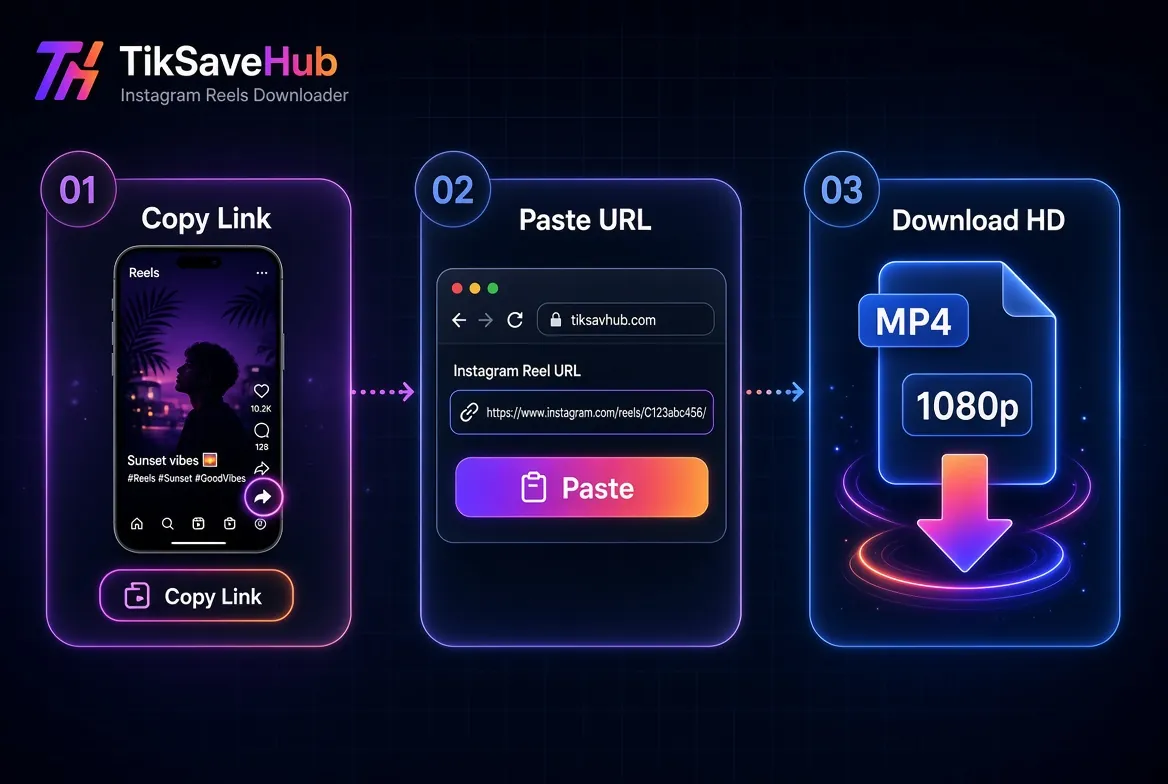
Three steps. No technical skills required.
Open the Instagram app or website, find the Reel worth saving. Tap Share, hit "Copy Link." Works on any public Reel -- Explore page, creator profile, Reels tab, shared link. Takes about two seconds.
Paste the copied link into the input field above. Processing kicks in instantly -- two to three seconds on a decent connection, maybe five on slower mobile data.
Hit "Download" to grab the MP4 file. It saves straight to the device -- ready for offline viewing, sharing on other platforms, or editing in your favorite software. No extra steps.
Clean MP4 every time -- no floating username, no logo overlay. Share anywhere without visual clutter.
Fetches the highest resolution Instagram serves -- up to 1080×1920. No re-encoding, no compression. The Reel you download is exactly what the creator uploaded.
Downloads run on the server, not in the browser. Two to three seconds regardless of device. No waiting, no queues.
iPhone, Android, tablet, desktop -- if it has a browser, TikSaveHub works. No app install, no extensions, no compatibility issues.
No email, no password, no account creation. Just paste the link and download. Privacy matters -- no personal data gets stored.
No daily limits, no caps, no premium tier. Download as many Reels as needed -- every day, forever. Free.
Back up your own Reels before Instagram's algorithm buries them. Edit them in external software, repurpose them for TikTok, YouTube Shorts, or other platforms. Keep your best work safe and accessible on your own terms.
Managing brand accounts? Save trending Reels for inspiration, competitor analysis, or content calendars. Download and organize reference Reels in a folder -- way more useful than bookmarking inside Instagram where they might disappear.
Collecting viral content for campaign inspiration? Download Reels that demonstrate a specific editing style, transition, or content format. Reference them during strategy meetings instead of trying to find them again in the Explore feed.
Educational Reels -- language lessons, history explainers, science breakdowns -- work better as offline video for studying on the go. Download, transfer to a phone, watch during a commute. Beats relying on spotty campus Wi-Fi.
Found a Reel you love but don't have time to watch it now? Save it for later. Download to watch offline on your commute, during travel, or anywhere without internet access. No fancy workflow needed -- paste, download, done.
Turn an Instagram Reel into a TikTok, a YouTube Short, or a Twitter clip. Download the clean MP4 (no watermark), edit it for the target platform, and publish. Same content, different audience, maximum reach.
Looking to download Snapchat videos? Try our Snapchat Video Downloader.
How it stacks up against the competition.
| Feature | TikSaveHub | iGram | ReelsDownloader | SaveFrom |
|---|---|---|---|---|
| Video quality | Up to 1080p | Up to 720p | Capped at 720p | Variable |
| Watermark | None | None | None | None |
| Download speed | ~2-3 seconds | ~5-8 seconds | ~4-6 seconds | ~5-7 seconds |
| Ads | None | Heavy (pop-ups) | Moderate | Heavy |
| Sign-up required | No | No | No | Yes (some features) |
| Daily limits | Unlimited | Reported limits | Reported limits | Limited free tier |
Honest take: iGram's pop-up ads are genuinely annoying -- three layers deep, and one of them is a fake "download complete" notification. ReelsDownloader silently re-encodes at 720p even when the source is 1080p. SaveFrom wants account creation before anything works. These aren't rumors -- they're consistent patterns users report across forums. TikSaveHub was the only tool in this comparison that stays free, ad-free, and unlimited.
Also works for TikTok videos, Facebook Reels, and Snapchat videos.
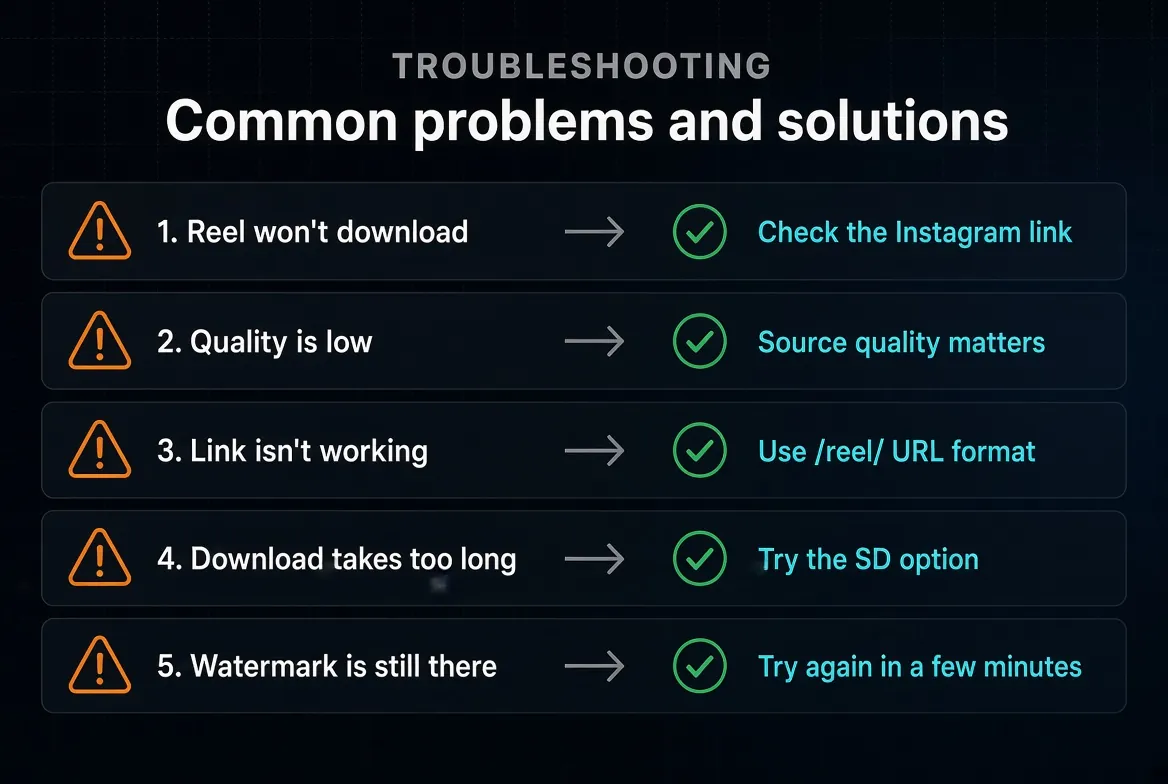
Nine times out of ten, the link is wrong. Someone copied a link from a comment instead of the actual Reel, or the URL got mangled during copy-paste. Go back to Instagram, open the Reel itself, tap Share → Copy Link, and paste that fresh URL. If the Reel was deleted by the creator, no downloader can retrieve it -- not TikSaveHub, not anyone else.
Quality depends on what the creator uploaded. Most Reels are filmed on phones at 1080p, but some creators upload at 720p or lower. TikSaveHub fetches whatever resolution Instagram has -- it can't improve what was already compressed. If the Reel looks blurry on Instagram, it'll look the same downloaded. That's a source-quality issue, not a tool limitation.
TikSaveHub handles all standard Instagram Reel link formats -- instagram.com/reel/..., instagram.com/reels/..., instagram.com/share/..., and the shortened links from the app. Profile pages, hashtag pages, and search results aren't downloadable -- they don't point to a specific Reel. The link needs to contain /reel/, /reels/, or /share/.
The download itself is fast -- under three seconds. The bottleneck is file transfer. A typical Reel is 5 to 15MB as MP4. On a 10 Mbps connection, that's under twelve seconds of download time. On slower mobile data, it takes longer. Switch to Wi-Fi if it's dragging.
That shouldn't happen with TikSaveHub. If you're seeing a watermark, you might be using a different tool -- some downloaders add their own branding. TikSaveHub fetches the original file from Instagram's CDN with no overlay. Try clearing your browser cache and downloading again.
Saving Reels for offline viewing, keeping a favorite clip, or personal reference -- that falls under personal use and is broadly tolerated. Instagram's Terms of Service technically prohibit downloading outside the app, but that clause targets automated bots scraping entire libraries, not a person saving one Reel. The legal reality is more nuanced than the ToS text suggests.
Using a downloaded Reel in an ad, a YouTube compilation, a podcast, or any monetized content requires explicit permission from the original creator. Copyright applies to the video itself, not just the audio. Get written permission or risk a takedown.
Even for personal sharing, crediting the original creator is the right thing to do. Tag the creator, mention their username, link back to the original. Takes five seconds and gives credit where it's due.
This article is for informational purposes only and does not constitute legal advice. Consult a qualified lawyer for your specific situation.
External reference: Instagram Community Guidelines · U.S. Copyright Office -- Fair Use
Copy the Reel link from Instagram (tap Share → Copy Link), paste it into the input field on this page, and hit Download. TikSaveHub extracts the video and serves a clean MP4 -- no watermark, no overlay. Takes about two to three seconds.
Yes. TikSaveHub fetches the highest resolution Instagram serves for that Reel -- up to 1080×1920 -- without re-encoding. The downloaded file matches what the creator uploaded. No extra compression, no quality loss during the fetch. One thing to know: TikSaveHub can't improve quality that Instagram already compressed. If the creator uploaded at 720p, the download will be 720p. But it won't be worse. The fetch process is lossless -- what Instagram has is what gets saved.
Works on any device with a modern browser -- iPhone (Safari, iOS 13+), Android (Chrome, Firefox, any browser), Windows, Mac, Linux. No app to install, no browser extension to configure. The tool runs entirely in the browser. iPhone users: the downloaded MP4 lands in Safari's downloads manager. Pull down to see it, then tap the magnifying glass to open it in the Files app. Android users: the file goes straight to the Downloads folder, and most gallery apps pick it up automatically.
All of them. Instagram.com/reel/..., instagram.com/reels/..., instagram.com/share/..., and the shortened vm.tiktok.com-style links from the Instagram app's Copy Link button. Grab the URL from anywhere -- a text message, a browser address bar, a social media post -- and it works.
Completely free. No sign-up, no email collection, no hidden subscription tier. Paste a link, download the Reel, done. Most "free" Instagram downloaders start pushing a paid plan after five or six downloads. TikSaveHub doesn't. Unlimited downloads, zero cost. The processing runs server-side, so there's no browser extension to install and no app to download.
No Instagram account needed. As long as the Reel is publicly accessible, TikSaveHub can fetch it. Copy the link via Share → Copy Link, paste it into the tool, and the download starts. Private or restricted Reels won't work -- but TikSaveHub tells you that honestly instead of showing a confusing error.
Saving Reels for personal offline viewing falls into a gray area that's broadly tolerated. Instagram's Terms of Service technically prohibit downloading outside the app, but that clause targets automated scraping and bulk redistribution, not someone saving one Reel. Commercial use is different. Using a downloaded Reel in an ad, a YouTube video, a podcast, or any monetized content requires explicit permission from the original creator. Copyright applies to the video itself, not just the audio. Credit the creator, don't monetize their work without permission.
TikSaveHub fetches the original video file from Instagram's CDN -- the clean source without any overlay. The floating username tag that Instagram adds during playback is a client-side effect, not baked into the file. So the downloaded MP4 has no watermark by default.
No. TikSaveHub only works with public Reels. Private or friends-only content isn't accessible through Instagram's public API. No legitimate downloader can bypass this -- it's a hard technical wall, not a policy choice.
MP4. That's the format. Works on every device, every video player, every operating system. The file extension is .mp4. No conversion needed -- Instagram serves Reels as MP4, and TikSaveHub passes that through unchanged.
No daily caps, no download quotas, no premium ceiling. Download as many Instagram Reels as needed. Every download processes in roughly the same two-to-three-second window regardless of how many have already been done that day.
Honestly, most Instagram Reels downloaders are frustrating to use. IGram buries downloads under pop-up ads and sometimes fails silently on Reels. ReelsDownloader caps quality at 720p and re-encodes the video. SaveFrom wants account creation before anything works. These aren't rumors -- they're consistent patterns users report across forums and review sites. TikSaveHub takes a different approach: paste a link, get a Reel, done. No ads interrupting the flow, no account walls, no quality caps. The download runs server-side (faster than browser-based tools), and the output is a clean MP4 that plays everywhere. It's not complicated -- it's just honest about what a downloader should do.
Paste an Instagram Reel link above and get your Reel in seconds. No account needed.
Start Downloading