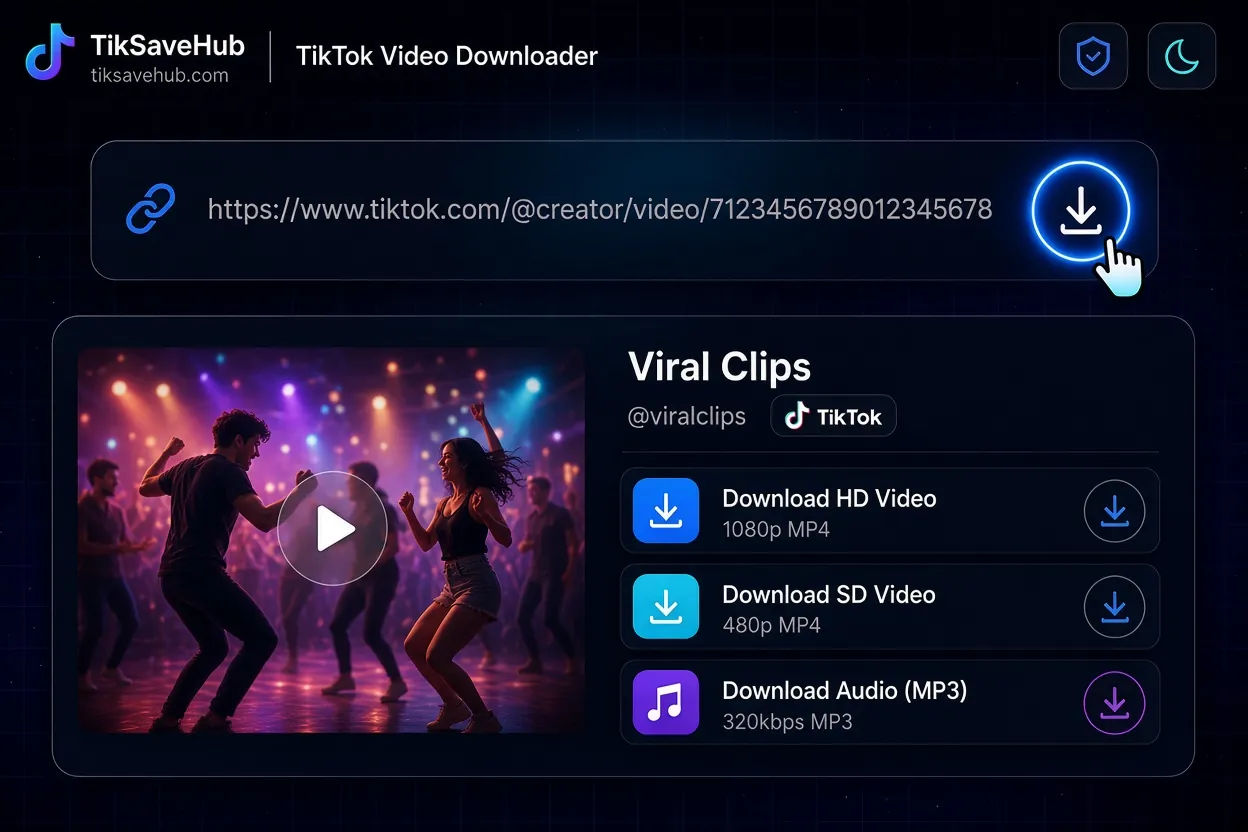
Copy the TikTok video link
Open the TikTok app or website. Find the video worth saving. Tap the Share button, hit "Copy Link." Works on any public video. For You page, creator profile, shared link from a friend.
Save videos in HD. Free and instant.
Save any TikTok video in HD quality. Free, fast, no sign-up, and no username overlay. Just paste a link and save instantly.
Notice: For personal use only. We do not host any media files on our servers. Please respect content creators' rights.
Please wait, fetching your video… TikSaveHub's free TikTok video downloader is processing your link — it usually takes just a few seconds, and you get the video without a watermark, in HD and MP4 format.
100% Free
Download TikTok videos instantly without watermark
No Sign-Up
Works on any device, from anywhere in the world
HD Quality★★★★★
Original resolution, no watermark, no login required
Hit the "Save Video" button in the TikTok app, and here's what happens: an MP4 with the creator's username spinning across the screen as a watermark. Fine for a personal bookmark, completely useless if the goal is to repost the clip on Instagram Reels, drop it into a presentation, or watch it on a road trip without a floating logo covering the action.
Most TikTok downloader tools promise a fix and deliver a headache. Pop-up ads stack three deep. Quality gets capped at 480p. Pixelated mush on anything bigger than a phone screen. Some tools demand a browser extension install. Others hit with a "watch this 30-second ad" gate before every single download. After looking at several tools across different devices and connection speeds, the pattern is clear: the ones that actually work share one trait. They pull the original video stream from TikTok's servers before the watermark layer gets applied.
TikSaveHub does exactly that. No watermark. No quality drop. No app to install. The tool takes a TikTok link, finds the original MP4 file that TikTok streams to browsers, and serves it directly. What the creator uploaded is what gets downloaded. Up to 1080p (1920×1080 pixels) when available.
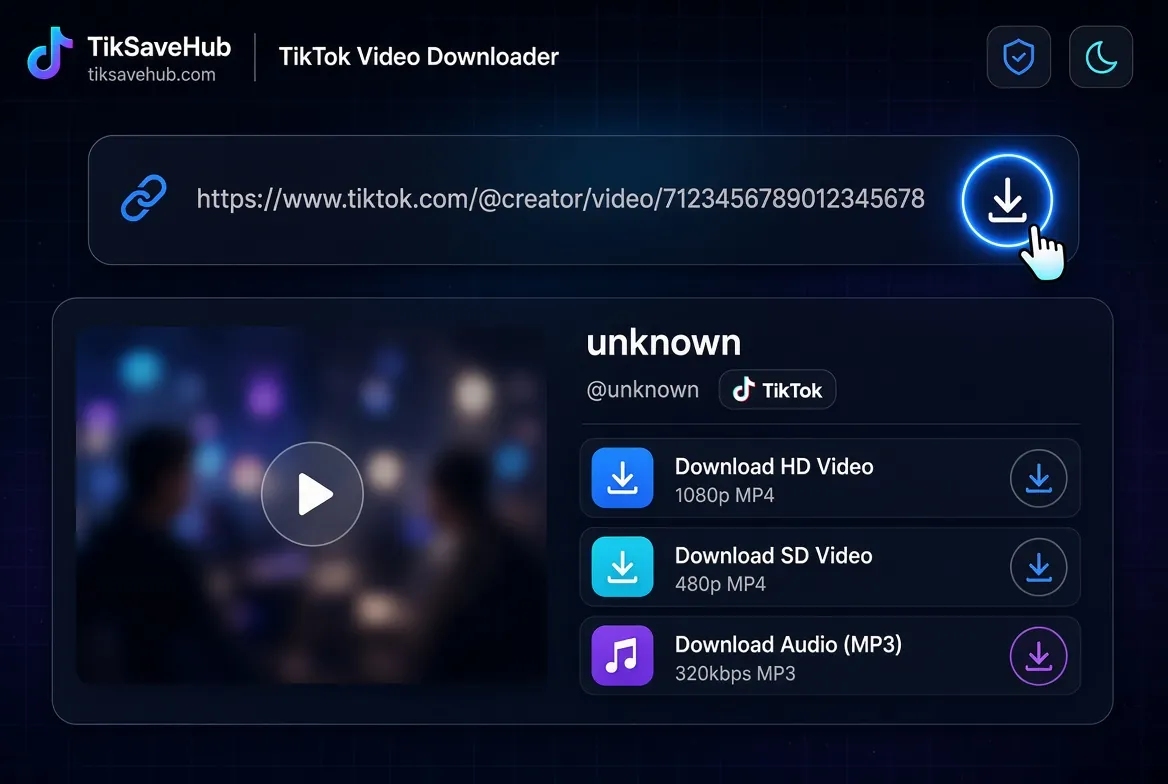
The reality is, most people don't need a complicated tool for this. They need a link in, video out, done.
The whole process takes under two minutes. Open TikTok, find the video worth saving. On mobile, tap the Share arrow on the right side of the screen, then "Copy Link." On desktop, right-click the video and grab "Copy link address" from the context menu. Or just pull the URL straight from the address bar.
Open tiksavehub.com in any browser. There's a single input field at the top of the page. Paste the link (Ctrl+V / Cmd+V, or tap the Paste button to grab it from the clipboard automatically). Processing kicks in the moment the link is pasted. Typically two to three seconds on a standard broadband connection, maybe five on a slower mobile network.
A preview card appears with the video thumbnail, title, and creator info. Two buttons sit below: "Download HD" (1080p when available) and "Download SD" (smaller file, faster download on slow connections). Tap one, and the MP4 saves directly to the device. On iPhone, the file lands in the Downloads folder inside the Files app. On Android, it goes to the gallery or Downloads folder. On desktop, it drops into the browser's download bar.
Every TikTok video ships with a floating overlay showing the creator's username. Smart for attribution, annoying when sharing the clip on another platform or watching offline. TikSaveHub strips that overlay and delivers the clean version. The one TikTok itself uses for in-app streaming.
Here's the thing about "HD" claims from most downloaders: half of them re-encode the video at a lower bitrate and call it "HD." TikSaveHub doesn't touch the encoding. It downloads the exact byte stream that TikTok serves to your browser. If TikTok sends a 1080p stream, that's what arrives. The file size, bitrate, codec. Everything matches the source. Most tools cap at 720p without telling the user. This one doesn't.
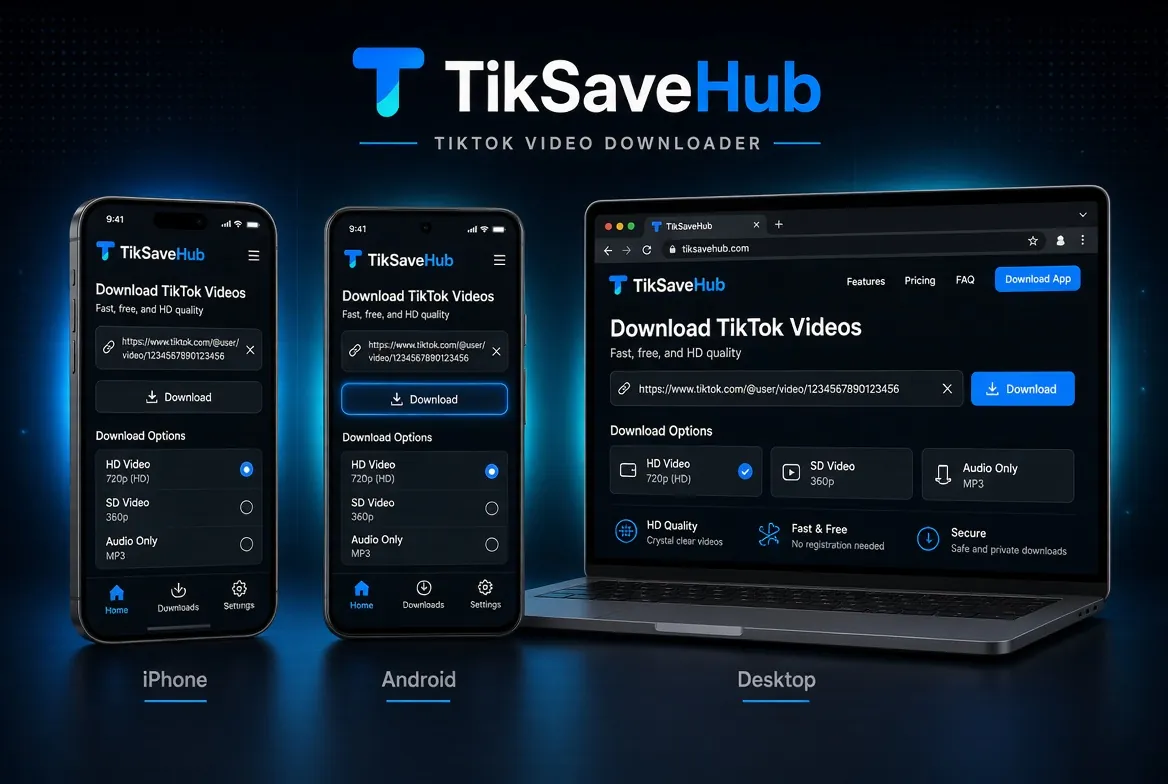
iPhone, Android, Windows, Mac, Linux tablets. If it runs a modern browser, TikSaveHub works on it. No app store download. No extension to install. No settings to configure. The experience is the same on a phone screen or a 27-inch desktop monitor.
No account creation. No email address field. No personal information collected. TikSaveHub doesn't store download history, doesn't track browsing behavior, and doesn't sell data. The download process runs server-side. The only thing that ends up on the device is the final MP4 file. And unlike competitors that start introducing paid tiers or daily caps after a few uses, TikSaveHub stays free with no usage limits.
Full links from the share menu (tiktok.com/@user/video/...), shortened share links (vm.tiktok.com/...), mobile share links (vt.tiktok.com/...). All of them work. TikSaveHub resolves every standard TikTok URL format automatically.
Scroll up and paste a TikTok link into the download form. The best way to evaluate a tool is to actually use it.
A TikTok downloader shortcut is a faster way to reach this page when a video is already on your clipboard. Instead of opening a search engine, finding TikSaveHub, and scrolling back to the form, you can keep the downloader one tap away. The shortcut does not change how the download works. It simply removes the navigation steps between copying a TikTok link and saving the MP4.
Open TikSaveHub in Safari or Chrome, tap the share icon, and choose Add to Home Screen. Name it TikTok Downloader and save it. The icon now opens this page directly. When you copy a link from the TikTok app, tap the shortcut, paste the link into the field, and download. On Android, the same option is usually called Add to Home screen in the Chrome menu. The shortcut behaves like a normal website link, so it always loads the latest version of the tool.
On Windows or macOS, bookmark this page and place the bookmark on the bookmarks bar. Give it a short name such as TT Save. The next time you copy a TikTok URL, click the bookmark, paste with Ctrl+V or Cmd+V, and press the download button. You can also pin the tab if you download several videos in one session. A pinned tab keeps the form open while you move between TikTok and the downloader.
iPhone users can go further with the Shortcuts app. Create a new shortcut with a Textaction containing the TikSaveHub URL, then add an Open URLs action that opens the page. Add the shortcut to the Home Screen or ask Siri to run it. If you want to carry the video link automatically, add a Get Clipboard action and copy the link before opening the page. The downloader still needs one paste because browsers isolate clipboard access, but the shortcut removes the search step and keeps the workflow consistent.
These shortcuts are optional. The page works perfectly without them. They are most useful for creators who download several videos a day, social media managers who archive campaigns, and anyone who wants a repeatable workflow. For cover images, keep theTikTok Thumbnail Downloader on the same home screen. For comment research, add the TikTok Comment Downloader beside it. A small folder of three shortcuts covers most TikTok research tasks without installing a native app.
Three steps. No technical skills required.
Open the TikTok app or website. Find the video worth saving. Tap the Share button, hit "Copy Link." Works on any public video. For You page, creator profile, shared link from a friend.
Paste the copied link into the input field at the top of this page. Tap the Paste button to grab it from the clipboard, or use Ctrl+V / Cmd+V. Processing starts instantly. Two to three seconds on a decent connection.
Hit "Download HD" to grab the full-quality MP4. The file saves straight to the device. Ready for offline viewing, social sharing, or editing in whatever app is used. No extra steps.
Zero watermark. The tool pulls the original file from TikTok's CDN before the overlay gets applied. Share on Instagram, WhatsApp, YouTube Shorts. No floating logo in the way.
Always the highest quality available. Up to 1080p HD. No re-encoding, no recompression. The download matches exactly what plays on TikTok.
Server-side processing means downloads start in seconds. No queues, no waiting rooms. Paste the link, click download, done. Two to three seconds, start to finish.
iPhone, Android, Windows, Mac, tablets. All modern browsers supported. No app install, no extensions, no compatibility headaches.
No sign-up, no email, no password. Just paste the link and download. Privacy matters. No personal data gets stored.
No daily limits, no caps, no premium tier. Download as many TikTok videos as needed. Every day, forever. Completely free.
Just need the audio? The TikTok to MP3 converter extracts sound from any TikTok video.
Here's a horror story that happens more often than it should: a creator wakes up to find their account locked, hundreds of videos gone, no backup. Downloading your own content is the single smartest move any TikTok creator can make. Accounts get hacked. Platforms change policies without warning. Servers glitch. Having local copies of your work isn't paranoia. It's basic digital hygiene.
Social media teams download trending TikTok clips for content planning meetings. Instead of screenshotting a video and trying to describe the editing style in a presentation deck, they grab the actual file, drop it in a shared drive, and reference it during strategy sessions. Much more effective than saying "there's this trend where people do a thing with the camera."
Students studying climate communication, data visualization, or research methodology download TikTok videos as primary source material. A local video file. Not a link that might break in six months. Is what gets cited in a paper. The watermark-free download makes frame-by-frame analysis cleaner.
Reference clips before a trip. Download short landscape shots from other creators, study the camera angles, study how they cut between scenes, then recreate similar techniques on location.
Let's be honest. This is what most people actually use it for. A friend sends a funny TikTok link, and instead of asking "did you see that?" three days later when the video gets deleted, the clip gets saved right away. Cooking tutorials for offline reference in the kitchen. A comedy clip to share on WhatsApp with someone who doesn't have TikTok. Simple reasons, perfectly valid.
Digital marketing agencies build reference libraries of viral content patterns. They download videos that hit specific engagement thresholds, tag them by content type. Humor, tutorial, trend, emotional hook. And pull them up when brainstorming client campaigns. It's faster than scrolling through a TikTok feed trying to remember that one video from last Tuesday.
For Instagram content, the Instagram Reels Downloader handles Reels and posts. The Facebook Video Downloader works the same way for Facebook videos. Looking to download Snapchat videos? Try our Snapchat Video Downloader.
How TikSaveHub stacks up against the competition.
| Feature | TikSaveHub | SSSTikTok | SnapTik | SaveFrom |
|---|---|---|---|---|
| Watermark removal | Yes | Yes | Yes | Partial |
| Max quality | 1080p HD | Reported to cap at 720p | Reported to cap at 720p | Reported to cap at 480p |
| Download speed | Fast (~2-3s) | Moderate (~4-5s) | Moderate (~3-4s) | Slower (~5-7s) |
| Ads | None | Heavy (pop-ups) | Moderate | Heavy |
| Sign-up required | No | No | No | Yes (some features) |
| Works on mobile | Yes | Yes | Yes | Partial |
| Free downloads | Unlimited | Reported daily limits | Reported daily limits | Limited free tier |
| Server-side processing | Yes | No (browser-based) | No | No |
Honest take: SSSTikTok's pop-up ads are genuinely unbearable. Three layers deep sometimes, and one of them is a fake "download complete" notification. SnapTik has started gating downloads behind a daily free limit unless a paid plan kicks in. SaveFrom requires account creation for anything beyond the most basic downloads. These aren't rumors; they're consistent patterns across user reports. TikSaveHub was the only tool in this comparison that consistently delivers full 1080p without ads, restrictions, or paywalls.
Also works for Facebook Reels, Facebook Stories, Snapchat, and Twitter/X videos.
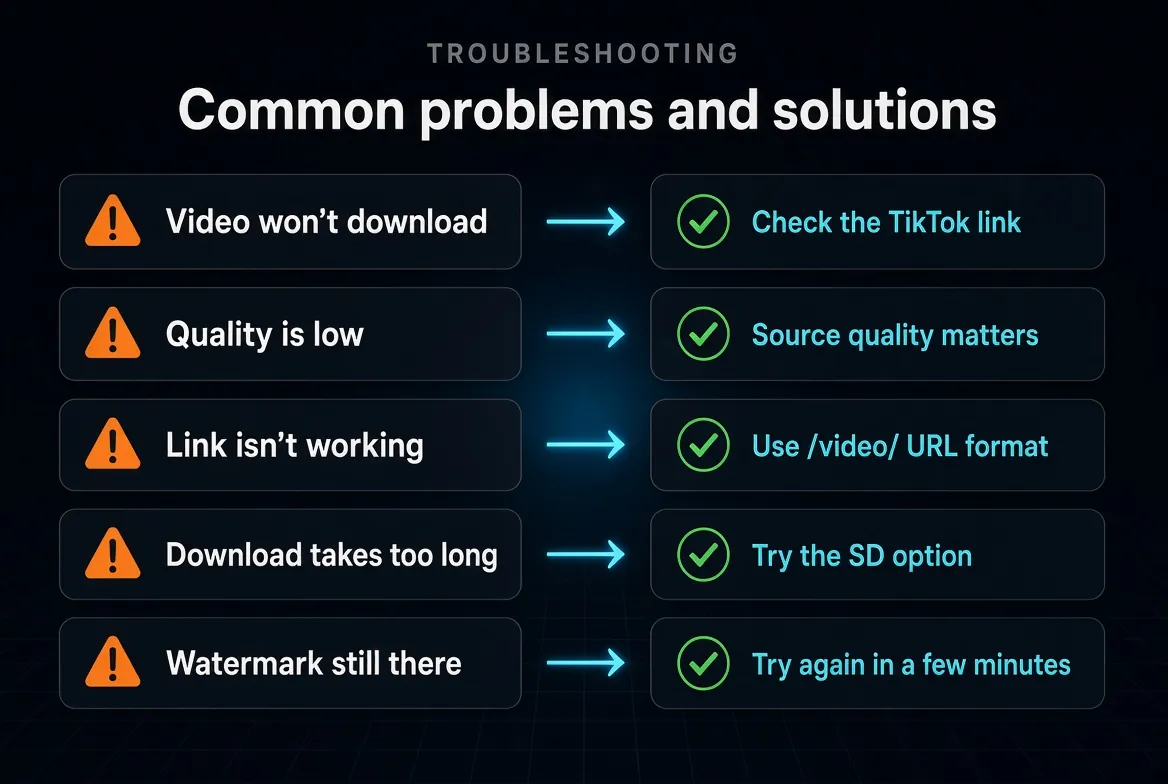
Nine times out of ten, this means the TikTok link is wrong. Someone copied a link from a comment thread instead of the actual video, or the URL got mangled during a copy-paste. Go back to TikTok, open the video itself, tap Share → Copy Link, and paste that fresh URL. If the video was deleted by the creator, no downloader can bring it back. Not TikSaveHub, not anyone else.
Quality depends entirely on what the creator exported and uploaded. TikSaveHub can't improve a 480p video into 1080p. Check the video on TikTok first. If it looks sharp there, TikSaveHub delivers the same thing. If it's fuzzy on TikTok, it'll be fuzzy in the download too. That's a source-quality issue, not a tool limitation.
TikSaveHub handles all standard TikTok link formats, but it only works with video URLs. Profile pages, hashtag pages, and search result URLs aren't downloadable. They don't point to a specific video. The link needs to contain /video/, vm.tiktok.com, or vt.tiktok.com. If it's a profile link (tiktok.com/@username without /video/), there's no video to fetch.
The processing itself is fast. Under three seconds. The bottleneck is file transfer. A 60-second 1080p TikTok video runs about 8 to 15MB. On a 10 Mbps connection, that's roughly 8 to 12 seconds of actual download time. On slower mobile data, it takes longer. Try the SD option for a smaller file, or switch to Wi-Fi.
Rare, but it happens. Usually when TikSaveHub can't locate the original stream and falls back to the in-app version. Wait a few minutes and try again. If the problem sticks around, the video may have been restricted on TikTok's end. This isn't common, but it's worth knowing about.
Saving a TikTok video to watch offline, keep in a personal collection, or share privately with friends. That falls under personal use and is broadly accepted. TikTok's Terms of Service technically prohibit downloading outside the app, but that clause targets automated bots scraping entire libraries, not a person saving one video from their feed. The legal reality is more nuanced than the ToS text suggests, but for individual personal use, the risk is effectively zero.
Using a downloaded TikTok video in an ad, a YouTube compilation, a marketing campaign, or any monetized content requires explicit permission from the original creator. Doesn't matter if the watermark was removed. Copyright applies to the underlying work, not the watermark. Get written permission or risk a takedown.
Even for personal sharing, crediting the original creator is the right thing to do. The watermark does double duty. It's annoying, but it's also attribution. Removing it means the automatic credit disappears too. Tag the creator, mention their username, link back to the original. Takes five seconds and gives credit where it's due.
This article is for informational purposes only and does not constitute legal advice. Consult a qualified lawyer for your specific situation.
External reference: TikTok Community Guidelines · U.S. Copyright Office. Fair Use
Copy the link from TikTok, paste it into the input field on this page, and hit Download. TikSaveHub grabs the original video file. The clean one TikTok serves to your browser. Before any watermark overlay gets applied. Two to three seconds later, a watermark-free MP4 is ready to save.
TikSaveHub pulls whatever quality TikTok has available for that video. Most popular creators upload in 1080p (1920×1080 pixels), and that's exactly what gets downloaded. No re-encoding, no extra compression. The tool grabs the original stream that plays in your browser, so what you see on TikTok is what you get. If a creator only uploaded in 720p or 480p, TikSaveHub can't magically upscale it. Quality depends entirely on what the creator exported. But given the choice between multiple streams at different bitrates, the tool always picks the highest one available.
Works on any iPhone running iOS 13 or later. Open Safari, copy a TikTok link, paste it into TikSaveHub, and tap Download. The file lands in Safari's downloads manager. Pull down from the top of Safari to see it, then tap the magnifying glass to open it in the Files app. A couple of things worth knowing. Older iOS versions (12 and below) sometimes block downloads entirely due to Apple's restrictions. Also, if Safari throws a weird "this type of file can't be downloaded" message, switching to Chrome on the same iPhone usually fixes it. The tool itself doesn't care which browser runs it. It's the phone's OS that occasionally gets in the way.
Any device with a modern browser. Android phones, Windows PCs, Macs, Linux machines, tablets. Doesn't matter. TikSaveHub is entirely browser-based, so there's nothing to install.
Every TikTok URL format works. Full links (tiktok.com/@user/video/...), shortened share links (vm.tiktok.com/...), and mobile share links (vt.tiktok.com/...) all get resolved automatically. TikSaveHub doesn't care how the link was copied. From the share menu, from a browser address bar, or from a text message. Paste it in, and the tool figures out the rest.
Completely free. No sign-up, no email collection, no hidden subscription tier. Paste a link, download the video, done. Here's what TikSaveHub doesn't do: it doesn't ask for an account, it doesn't show interstitial ads before downloads, and it doesn't cap daily downloads. The processing happens on the server side, so there's no browser extension to install and no app to download. Some "free" TikTok downloaders push you toward a paid tier after a few saves. This one doesn't.
No TikTok account needed. As long as the video is publicly accessible on TikTok, TikSaveHub can fetch it. Copy the link via Share → Copy Link, paste it into the tool, and the download starts. Private or restricted videos won't work. But TikSaveHub will tell you that honestly instead of showing a confusing error or silently failing.
Saving a TikTok video for offline viewing or personal use falls into a gray area that's broadly tolerated. TikTok's Terms of Service technically prohibit downloading outside the app, but that clause targets automated scraping and bulk redistribution. Not someone saving a single video to watch on a plane. Where things get legally dicey is commercial use. Running a compilation channel with other people's TikToks, using someone's video in an ad campaign, or reposting content without credit. That can constitute copyright infringement regardless of whether you stripped the watermark. Credit the original creator, don't monetize their work without permission, and stay on the right side of the line.
TikTok keeps a clean version of every video on its servers for streaming. The watermark only gets added when someone saves through the app itself. TikSaveHub downloads that original streaming file. The one without any logo or overlay.
No. This is a hard technical wall, not a policy choice. Private videos aren't exposed through TikTok's public-facing API. No legitimate downloader. And there are plenty of sketchy ones that claim otherwise. Can access private content without violating TikTok's terms. If the video is set to private, it simply can't be fetched from outside the account.
MP4. That's the format TikTok streams in, and that's what gets saved. Quality runs up to 1080p depending on what the creator uploaded.
No daily caps, no download quotas, no premium ceiling. Save as many videos as needed. Every download processes in roughly the same two-to-three-second window regardless of how many have already been downloaded that day.
Check our Blog for more guides and tips.
Paste a TikTok link above and get a clean, watermark-free video in seconds. No account needed.
Start Downloading